Review of Australia’s Pegboard CMS version 5

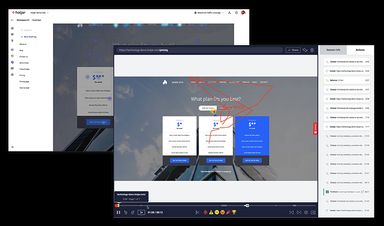
Today we’re going to take a look at Pegboard CMS. This system’s primary claim to fame is that it’s a “tag-based” architecture which makes it easy and efficient to design very dynamic sites. For more info on how the “tag-based” system works, check out the video on this page.

Let’s take a look at what makes Pegboard tick and enter the administration interface to see what options we have.

Once logged in, we are greeted with an attractive admin interface that provides quick and easy access to Pegboards various settings.

Let’s take a look through the menus to see what options we have:

pegboard2

pegboard3

pegboard4

Now that we have a bit of an idea as to what options we have to play with, let’s take a look at the Default site we’ve been given and see what we can do with it.

Clicking on “DefaultSite” in the Site Map in the above screenshot gives us a number of options and settings we can tweak on the site.
There are a lot of options here, so be prepared for a series of long screenshots so we can show you them all:

As you can see, there is a pretty amazing amount of flexibility as to what can be changed on the site. You will see these same options on each individual page which gives you a lot of control over the site. Being able to set hover images and offsets on a per page level is pretty solid flexibility, but it doesn’t stop there. Right clicking on the individual pages gives you access to a whole new set of commands and actions that can be performed:

pegboard5

Editing the individual content itself is straight forward and involves accessing the content menu and selecting the applicable page.
You will then be greeted with a standard Wysiwyg editor reminiscent of TinyMCE or FCK:

Let’s take a look through some of the installed modules.

Pegboard has an integrated email marketing module that provides a fair amount of functionality:

From a security standpoint, Pegboard allows you to set per-module security which means you can provide fairly intricate levels of security for individual access groups or users.

The preferences menu allows for various settings such as the basic info on the site, corporate information, caching details and your database configuration.

Examining the front end, we are greeted with a pretty basic theme that provides a starting point with which the site can be built.

Summary

This review only shows the basic information and initial configuration of Pegboard. There are a large number of additional
modules available such as ecommerce, seo, news, blogs and more which you can see a list of here.

From a usability standpoint, the Pegboard team has done a great job of making the backend easy to navigate, user friendly and quick. We found the options to be well laid out and easy to locate.

It’s very nice to be able to access per page settings and configure them from a quick menu and we found that quite intuitive and easy to use. You can get more information on how the backend of the system works by watching some of the videos on their site. This one in particular gives a good explanation.

The folks at Pegboard have done a great job of putting together a quick and well thought out content management system with a nice amount of functionality. With the number of modules available (50 at last count) we can see this system being used for a large variety of projects.

Pegboard is indeed a system that makes content management feel less painful and more usable than previously perceived.

You can learn more about Pegboard at the Pegboard CMS website.

About Mike Johnston

Mike is a CMS Analyst & Consultant who founded CMS Critic in 2009. He regularly consults with companies to assist them with the CMS selection process and is available for speaking engagements. You can contact him here or follow him on Google Plus.

Comments

  1. Clinton says:

    Hi Mike,

    Good article, comprehensive overview of the CMS. I’m busy doing some research on it for some potential up-coming work. Have you had any experience with it since 2009 or heard anymore of how they are progressing?

    Their site is jam packed with salesy stuff, so would appreciate your point of view if you have one.

    Cheers,
    Clinton

    • Sam says:

      Its a waste of time, this CMS is worth for nothing. the company only concentrates on marketing with no good potential in the product.

      Cheers
      Sam

Speak Your Mind

*