Squarespace 5 Review


SquareSpace has been getting alot of attention of late for their revolutionary CMS. SquareSpace is an incredibly powerful and unique, hosted solution that gives the designer/developer unprecedented control over the look of their site and it's content. Today we're going to take a look at it in this SquareSpace review.
SquareSpace is available with a number of plans ranging from $8/month to $50/month (more details on their pricing page).
When you first log into your account, you will notice a menu along the top of the site that offers a number of options:

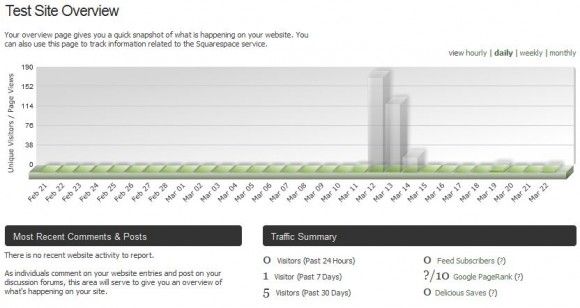
Clicking on the overview option provides a number of statistics for your website using some nicely rendered charts (it's nice to see some well done integrated analytics):
Squarespace CMS also has inline editing which you can access directly from the site.
You can see the links once you log into the CMS:

Clicking the “Post new entry” button overlays an very well designed editor that has literally every function you could want (and more) including video embedding, photo embedding and much more. Using their editor is a snap and works beautifully. Embedding a YouTube video into a post, for example, is as easy as pasting the URL.. the editor will then provide a preview and give you a number of options for sizing and alignment.
Here's a screenshot of the editor:
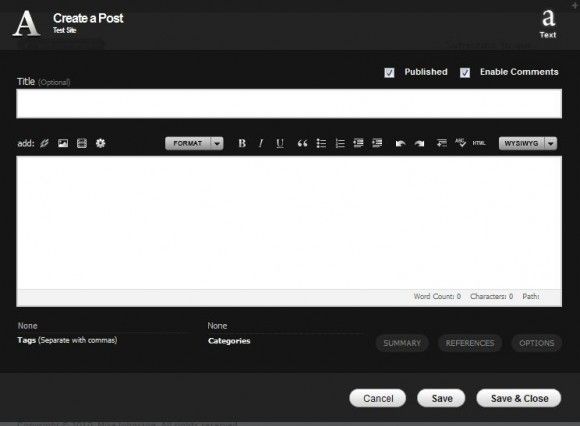
Entering Tags and Categories within the editor is just a click and type function and works exactly as one might expect.
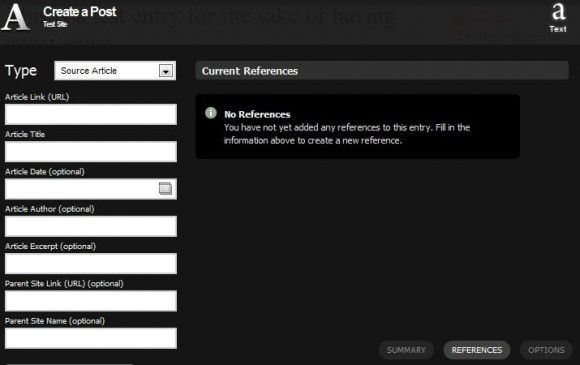
Article references can also be inserted with ease thanks to a handy References button within the editor:
The editor in the top right of the screen (shown below) allows you to switch between modes such as content editing, structure editing, style editing and preview mode.

We've already shown you content editing mode, let's move on to Structure Editing mode.. (the 4 square blocks shown in the menu above).
Structure editing mode allows you to add and insert sections, add/modify widgets, edit the headers and more. Clicking on this mode will show a number of options as well as page configuration:
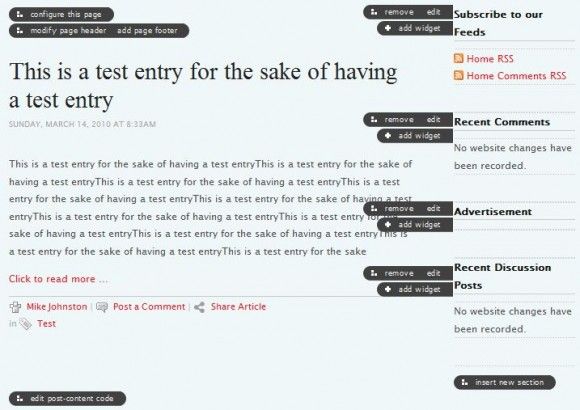
Clicking on configure this page will bring up the dialog below which lets you make modifications to the individual page itself. There are far too many options to possibly show with screenshots so we'd recommend trying out their demo if you'd like to see the options and play around. You can get a demo for 14 days (no credit card required) from their website.
Switching to style editing mode (yes, the options never end with this software..) provides you with even more functionality. Now you can switch templates using this screen:
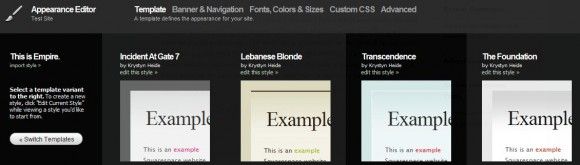
Once you've found the right template, you can copy it into your own style and make whatever changes you want. Clicking on Banner & Navigation provides the following functions (column configuration, customized banners, etc):
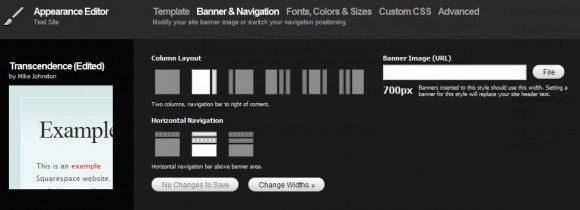
Once you've made the necessary changes on this page, you can take them ever further by modifying individual CSS, fonts, sizes and more all from a number of handy menus.
There really are far too many options to possibly cover in one review, but this SquareSpace Review should give you a good idea of what to expect from SquareSpace.
For those of you who are thinking that with all of these positives, there must be something wrong, surely support must be poor or something is lacking… the short answer is No.
Support responses were the fastest we have ever had from any support ticket we have filed. Literally within 5 minutes of submitting a request, we had a reply back.. they are fast, polite and efficient and we highly recommend them. Now, having said that, we don't expect this fast of a response all of the time but it certainly was a pleasant first experience.
One thing is for certain, SquareSpace rivals most installed CMS systems when it comes to ease of use, beauty and functionality and this SquareSpace Review was a pleasure to write.
Pro's:
- Beautifully designed interface that is both snappy and well designed.
- Huge number of options and configuration possibilities.
- Images are uploaded and hosted on super fast Amazon S3 servers.
- Cost is incredibly inexpensive for such a powerful system.
- Support from SquareSpace is remarkably fast.
Con's:
- It won't do your laundry.
Website: http://www.squarespace.com
Do you have any comments about this CMS? Have you found this SquareSpace review helpful? We'd love to hear from you in the comments below.