Ademero Review - An exploration of Content Central Document Management Software

I review a lot of Web Content Management Systems but I've never done a review of a Document Management System (something that I've been meaning to do for some time) until today. Ademero is one such vendor and produces a browser based document management platform called Content Central. Today, I'm going to take you on a tour of this powerful but easy to use system.
Before I dig into the software itself, it's relevant to point out that anyone can test out the software by simply visiting their website at http://www.ademero.com/ and downloading a trial version. Ademero works on any Windows machine but, once installed, can be access from browsers on any platform.
Let's dive into the interface shall we?
First, I'm going to show you the interface as seen by the average non-administrative user.
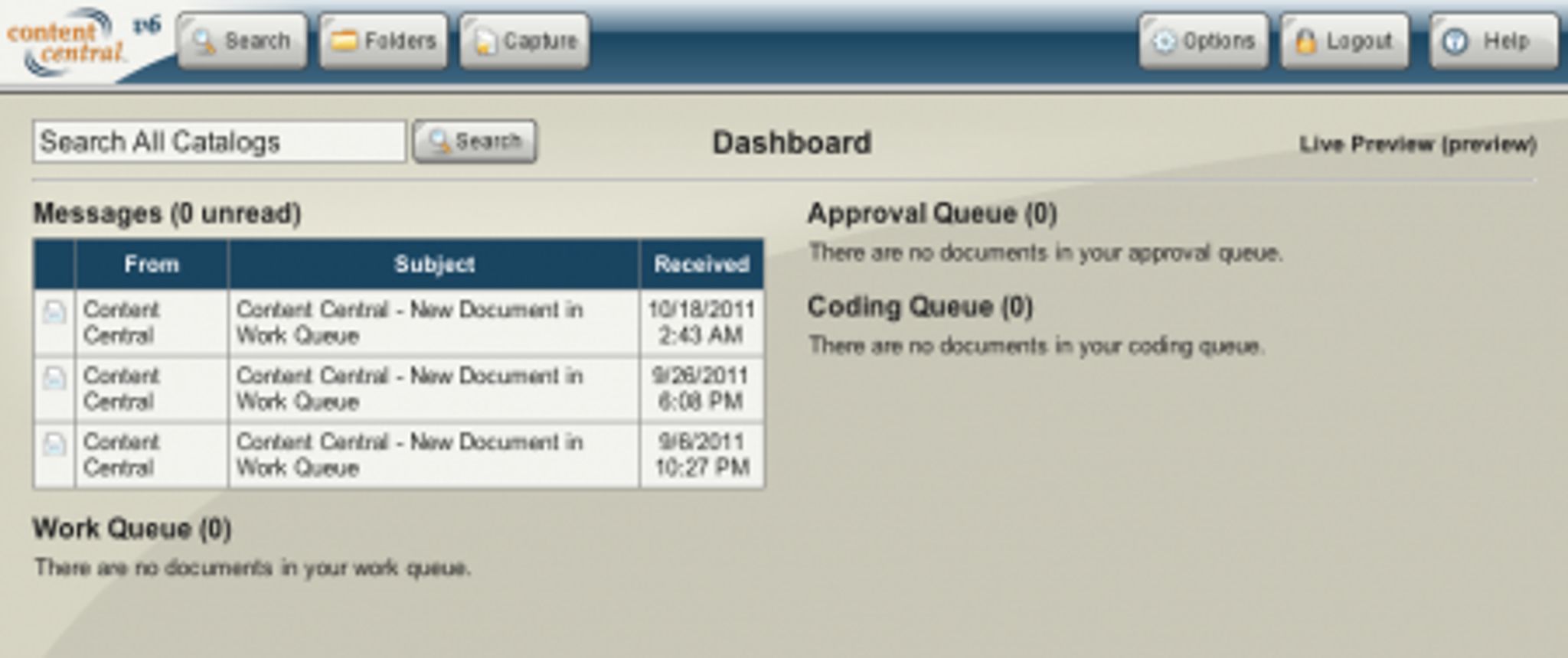
When you first connect to the system through your web browser, you'll be prompted to log in. Once you've done that, you'll be taken to the dashboard where you are treated to a quick overview of all of your queue's and messages from within the system.
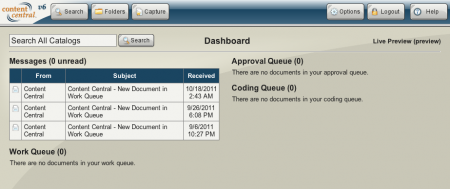
Let's assume you're looking for a specific document within the system. Clicking on the search button at the top of the screen takes you to a full context search screen where you can create a fine grained search for the document in question.
Once found, you simply click on the document and it's shown the screen below allowing you to quickly confirm that it's the one you are indeed looking for.
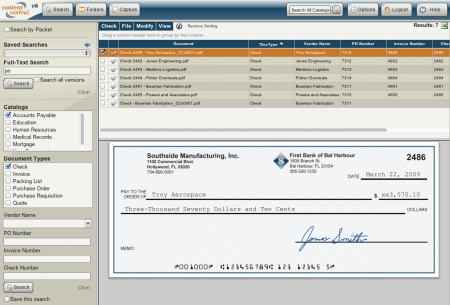
Perhaps you need to share the document, download a copy or email it to a colleague? Clicking on the File menu will present you with a number of options for working with the document.
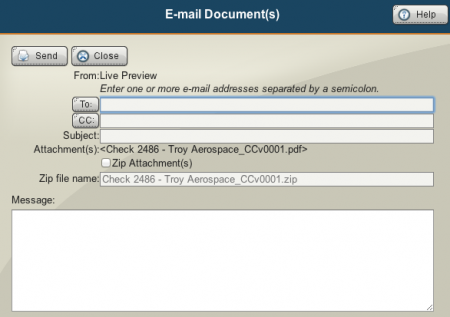
Choosing email brings up a quick dialog allowing you to fire it off to whomever you need.
One thing I'd like to comment quickly on while we're on this screen is the ever present Help button the you see in the screenshot above. More often than not, I've found that in a large number of CMS I've reviewed, the Help just never seems to be quite good enough. In this case, however, it's excellent and caters to each specific screen. For instance, should you click it on this screen you'll see:
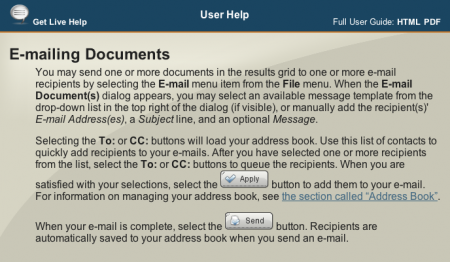
What I especially like is the referenced document and click links to the full user guide. They didn't just stop there though, they even added a Get Live Help feature which, you guess it, connects you with their support team. Now, in the case of a full deployment, the Live Help is always directly linked to Ademero but it could be changed if required, although it's rare to do so.
When attempting to work with documents, if you try to use a feature that you do not have access to, you will simply get a denial message such as this:

Any time you are viewing a list of documents and wish to see the history of the document, you can do so by clicking View, History which brings you to a screen such as this.
Clicking on the Folders button on the menu bar along the top will take you to each section you have access to.
The Folders button takes you to the Personal Folders view where you can view messages, queues, and of course, browse the catalog of files available on the server.
From this view, the Catalog Browser will let you explore each file on the server and it's directories that you have access to.

To add documents to the library, you would use the Capture button on the top bar. This will take you to a screen where you can choose which method you'd like to use from the configured ones for importing your document. You'll then be guided through the process of adding and classifying your document. This isn't something I can show in this review but trust me, the process is slick and very, very functional and easy to do.
Let's take a look at some of the more administrative functions of the system now. To start off, once installed on your server, you'll have three icons from which you can access various components of Content Central.
First, we'll take a look at the Catalog Manager. Launching it will bring you to a screen such as this.
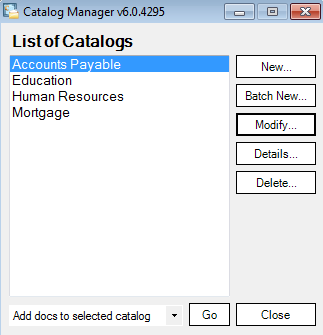
From this dialog, you can manage each individual Catalog's configuration. Let's take a look at the Accounts Payable catalog..

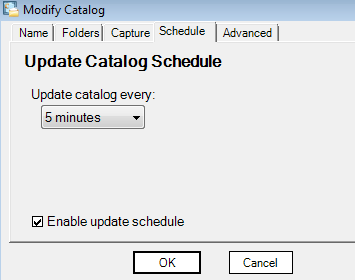
As you can see, we can set various options such as the location of Indexes, catalog description and much more. You can also set schedules as to how often the catalog is updated with new content.
Now let's take a look at the Configuration Manager module and walk through what options it contains. At launch, you are presented with the following menu of available options.
From here, you can configure the majority of system options quickly and easily. Here is an example of what you can expect to find under the SQL Settings option.
That should give you a decent idea as to what you can expect to find under the configuration manager. We explored Content Central itself as a non-administrator user, so let's take a quick look at what options become available as an admin.
Once you log in as an administrator, you'll see a new button on the toolbar at the top called, you guessed it, admin. Clicking on this will present you with the following set of admin functions.
One of the key items I wanted to show you here is the ability that Content Central gives you to add and manage fields for your documents. Once you enter the Global Fields menu, you can choose to modify the details of the fields and change formatting, types and more.

It doesn't stop there, however. There's simply too much to show and the best I can suggest is to try it out and see if it suits your needs or the needs of your organization.
Conclusion
Content Central is a complex piece of software that is both easy to use and feature filled. The fact that it functioned without issue in every browser I tried (Safari, Chrome, Firefox and IE) was a testament to the amount of work that the team at Ademero have put into it.
The layout of the system makes it incredibly user friendly and provides an interface that is both pleasing to use and fast while maintaining a high degree of functionality. The help system that Content Central provides is quite simply, perfectly implemented and provides just enough assistance to not be overwhelming while still giving you just what you need.
I highly recommend Content Central and would strongly advise you try it out if you are in the market for document management software.